
Telegram is a good place to send a video and a bad place to keep one. Both come from the same design choice: Telegram treats a video as a message, not a file, unless you tell it otherwise.
Why your video looks worse after Telegram
Tap the attachment button, pick a video from your gallery, hit send. Before the upload starts, Telegram re-encodes it. Lower resolution, lower bitrate, smaller file. That is why a sharp 1080p clip arrives soft and blocky on the other end, and why a 400 MB recording shows up as a 40 MB one.
This isn't a bug. Compression is what lets a video play inline in the chat, start in a second, and not eat the recipient's data plan. For a 20-second clip of your dog, that trade is fine. For a wedding film, a course lesson, a drone shot, or anything you spent an afternoon editing, it isn't.
The damage is permanent. Forwarding a compressed video doesn't compress it again, but the detail is already gone, and nobody on the receiving end can get the original back. If you only have the Telegram copy of something, you don't have the original anymore.
The 2 GB and 4 GB limits
Telegram caps every file at 2 GB. With Telegram Premium, the cap is 4 GB. The limit is per file, not per chat: you can send ten 1.9 GB files in a row, but not one 2.1 GB file.
Two things catch people here. First, the cap applies to the sender. A Premium subscriber can send a 4 GB file; a free account can't, no matter who is receiving. Second, sending "as video" doesn't help you get under the limit in any way you'd want. Telegram shrinks the file so it fits, and the quality goes with it.
If your file is over the cap, Telegram will simply refuse it. Splitting a video into parts works, but it's a poor experience for whoever has to download three archives and stitch them back together.
Send as file
To keep the original, send the video as a file instead of as a video. In the attachment menu, choose File (sometimes labeled Document) rather than Gallery, then pick the video. On some versions, you select the video from the gallery and then untick a compression option or choose "Send as file" from the menu before sending. On desktop, there is usually a checkbox to compress; leave it off.
What changes: nothing is re-encoded. The recipient downloads the exact bytes you had, same resolution, same bitrate, same audio.
What doesn't change: the 2 GB or 4 GB cap still applies. The recipient may have to download the whole file before it plays, depending on their client. And every person you send it to downloads their own full copy, which matters when the file is 1.5 GB and the group has 40 people.
Send as file is the right answer for one recipient, one file under the cap, when quality matters. It stops being the right answer the moment any of those three conditions fails.
When a link is the better answer
A link separates the upload from the delivery. You upload once, to one place, and then hand out an address. People who open the address get the video; you don't send it again for each chat.
That changes a few things:
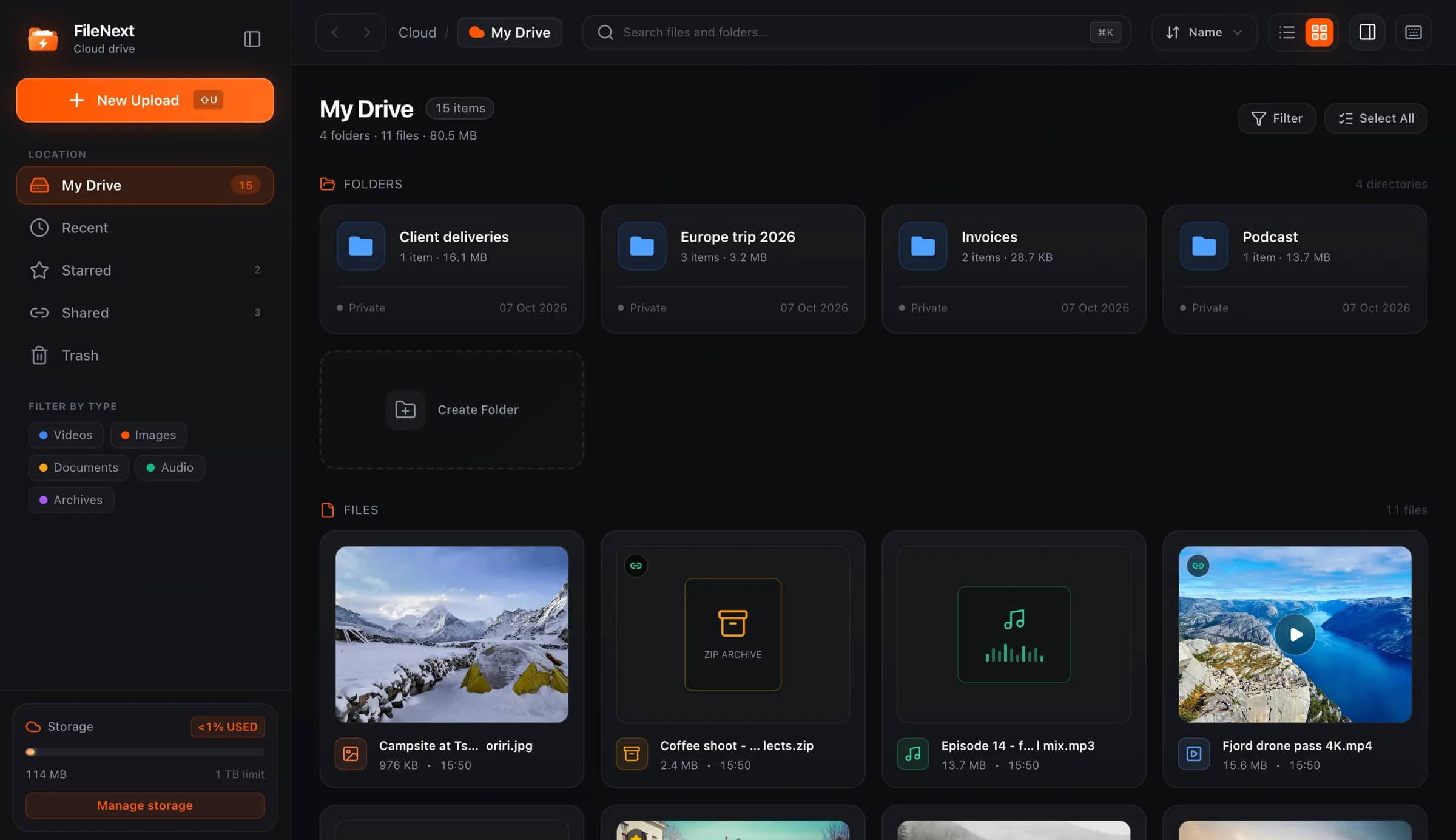
- Size stops being Telegram's problem. The file lives somewhere with its own limits, not Telegram's. On the FileNext web drive there is no limit on the size of a single file; only your total storage counts, and every account gets 1 TB free.
- You upload once. Post the same link in five groups and two channels and you've still uploaded one copy.
- You can turn it off later. If you shared the wrong cut, or the thing was meant for a week and the week is over, switch the link off and it stops working for everyone at once. Telegram can't do this for a file you've already sent; you can delete your message, but anyone who downloaded it keeps it, and the same is true of a link once someone has downloaded the file.
- Viewers don't need an account to open it.
Files on FileNext are private until you create a link, so nothing is visible just because it's uploaded. Links are the only way in, and you control them. The how it works page covers the rest of the sharing model.
The FileNext bot flow
If Telegram is where you already are, you don't need to leave it to make a link. The Telegram bot does it in the chat.
Your first message to the bot creates an account. No email, no password. Then send a video. You can send it as a video or as a file; send it as a file to skip Telegram's compression, since what the bot receives is what gets stored. The bot replies with a share link, then a card with the video's cover and a "Watch on FileNext" button. Paste the link wherever you want it: a group, a channel, a DM.
Videos the bot receives land in a "Telegram uploads" folder in your drive. The bot only takes videos, and it has a size limit per video that it tells you about; anything bigger goes through the web drive, which has none.
A few things the bot does that save time once you're posting regularly:
- /videos lists what you've uploaded.
- /style adds header and footer text to posts the bot sends back, and the channel link replacer swaps other channels' links and @usernames for yours.
- Forward a post that contains FileNext links and the bot saves each file to your drive, then sends the post back with your own links.
- Paste a direct download link and the bot uploads that file for you.
- /account connects the bot to a web account with a one-time link that is good for 15 minutes, so the same files show up in the drive and in the bot. You can also connect from the web Account page.
You can also change the cover. Every video gets an automatic cover frame. If you want a different one, open Covers in the bot, pick the video, and send a photo; that photo becomes the cover for the card the bot sends out.
A short decision guide
Short clip, one friend, quality is irrelevant: send as video and move on.
Under 2 GB (or 4 GB on Premium), one or two recipients, quality matters: send as file.
Over the cap, or many recipients, or any chance you'll want to pull it back later: upload once and share a link. If you're already in Telegram, the bot gets you there without opening a browser.
Whatever you pick, keep your original somewhere that isn't a Telegram chat. The compressed copy is fine for watching. It's not fine for being the only copy.