Skip to content
Download

FileNext, on every screen.

Open shared links, play any video and manage your drive in a fast native app. Mac is out now; iPhone, iPad, Android and Windows are next.
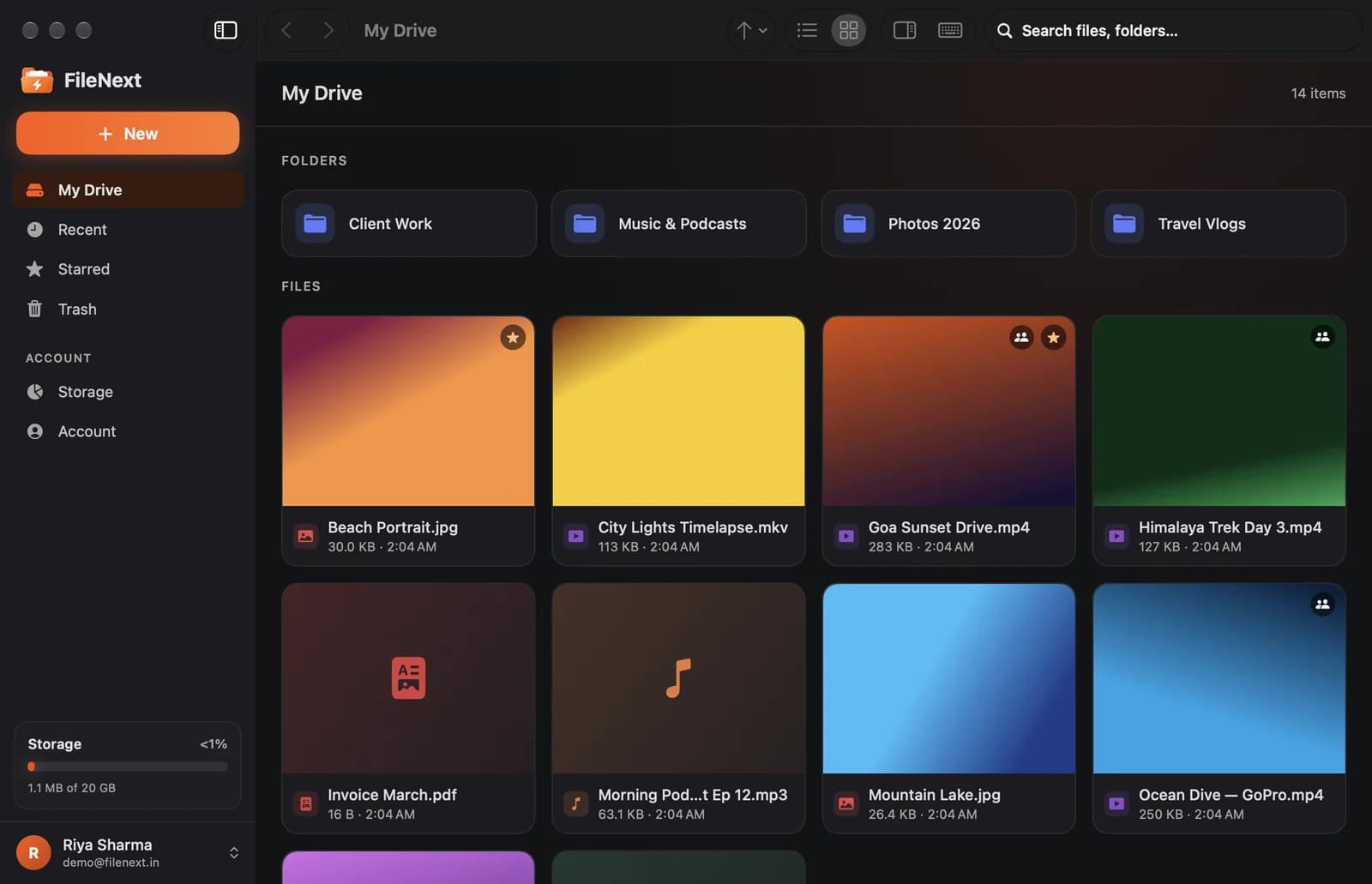
The FileNext Mac app showing a drive with folders and video covers
Platforms

Pick your device.

One account across all of them. Store buttons switch on the day each app goes live.

Coming soon

iPhone & iPad

iOS and iPadOS app

Coming soon to theApp Store
Coming soon

Android

Phones and tablets

Coming soon toGoogle Play
Coming soon

Windows

Windows 10 and 11

In development
Why the app

Everything the web does, and more.

The apps are where shared files are watched, so they're built around playback, with the full drive alongside.

  • Shared links open in the appOpen in FileNext on any share page jumps straight into the app to watch, save or download.
  • Plays every formatBuilt on VLC's playback engine, so MKV, AVI, HEVC, AV1 and everything else just play.
  • Views that pay creatorsWatching a shared video in the app counts as a validated view for the person who shared it.
  • Uploads that don't give upDrag files or whole folders in. Big uploads (up to 100 GB) resume if your connection drops.
  • Your whole drive, nativeFolders, search, stars, trash, covers, share links and ZIP downloads, with keyboard shortcuts throughout.
  • One account everywhereThe same account as the website and the Telegram bot. Everything stays in step.
Mac setup

Installed in a minute.

  1. 1DownloadGet FileNext.dmg above and open it.
  2. 2Drag to ApplicationsDrag the FileNext icon onto the Applications folder in the window that opens.
  3. 3Allow it the first timeThis beta isn't notarized by Apple yet, so macOS asks first. Open FileNext once, then go to System Settings → Privacy & Security and click Open Anyway.
  4. 4Sign in and open linksSign in with your FileNext account. From now on, Open in FileNext on any share page opens right in the app.
On your phone

Scan to get the mobile apps.

Point your phone's camera here to open this page. You'll get the right store button for your phone.

Coming soon to theApp StoreComing soon toGoogle Play
FAQ

App questions.

Supported devices, installing, and what's coming.

Is the app free?

Yes. The apps are free and use your normal FileNext account, with 20 GB free to start.

Which Macs are supported?

Macs with Apple silicon (M1 or newer) running macOS 15 Sequoia or later. An Intel build isn't available yet.

Why does macOS ask before opening it?

This first Mac release is a beta that isn't notarized by Apple yet. Open it once, then choose Open Anyway in System Settings → Privacy & Security. Notarized builds will open without the extra step.

When are the iPhone and Android apps coming?

They're in development. The store buttons on this page switch on the day each app is live — until then, anything in a store claiming to be FileNext isn't ours.

Do I need the app to watch shared videos?

Yes. Shared links open in the FileNext apps, which is how views are validated and creators get paid. The website shows a preview and hands off to the app.

Where do I manage earnings?

In the Telegram bot, the same as before. The apps are for your drive and for watching shared files.

No app on your device yet? The Telegram bot and the web drive work today.

New to FileNext? Start free.

20 GB free, then sign in to the app with the same account.